

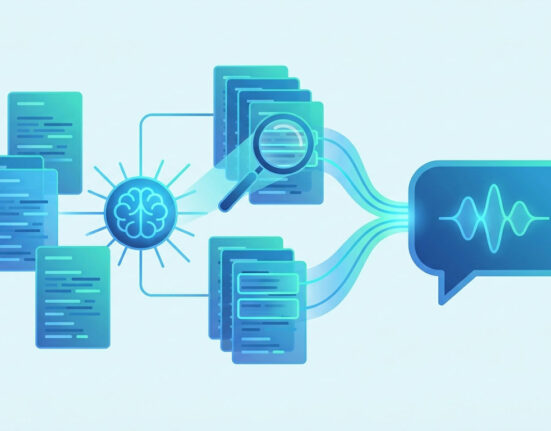
Computer vision legacy integration can help organizations bring modern visual AI into older systems without disrupting daily operations. However, success depends heavily on choosing the right vendor. A strong vendor does more than provide software, cameras, models, or dashboards. The right partner understands how older systems work, where integration risks appear, and how to connect new computer vision tools with existing workflows in a stable way. Because many legacy platforms still support core business processes, vendor selection must focus on reliability, compatibility, security, and long-term support.
Many companies want the benefits of computer vision, such as faster inspection, better safety alerts, improved quality control, and stronger operational insight. Yet, older systems can make those goals harder to reach. Legacy platforms may use outdated databases, limited APIs, custom code, manual exports, or older hardware. Therefore, computer vision legacy integration requires more than buying an AI tool. It requires a vendor that can bridge old and new technology while keeping the business running smoothly.
Why Vendor Selection Matters So Much
Vendor selection matters because legacy environments are rarely simple. A modern computer vision platform may look powerful during a demo, but the real test happens when it connects to existing systems. If the vendor cannot support older software, unusual data formats, or custom workflows, the project can quickly become slow, expensive, and frustrating. As a result, leaders should treat vendor choice as a major risk management decision.
A good vendor should understand both AI and operational reality. Computer vision tools often need to connect with manufacturing systems, warehouse platforms, inventory databases, quality tools, security systems, or reporting software. These systems may not be ready for large image files, real-time alerts, or AI-generated data. Because of this, the vendor must know how to design practical data flows that reduce strain on older platforms.
Computer vision legacy integration also affects people, not just systems. Employees may depend on familiar screens, reports, and approval steps. If a new vendor forces a completely different process too quickly, adoption may fall. However, if the vendor respects current workflows and improves them carefully, teams are more likely to trust the solution. This makes change easier to manage.
The best vendors also think beyond installation. They help with testing, training, monitoring, updates, and support. This matters because integration needs can change over time. A pilot may begin with one camera or one workflow, but the company may later expand to more sites, product lines, or use cases. Therefore, the vendor must support both today’s project and tomorrow’s growth.
Start With a Clear Internal Readiness Review
Before speaking with vendors, the organization should review its own systems and goals. This step helps leaders avoid being guided only by vendor promises. It also helps them ask better questions. A readiness review should include current software, hardware, data sources, workflow steps, security rules, user needs, and known system limits.
The team should first define the business problem. For example, the goal may be to reduce inspection errors, improve safety monitoring, speed up inventory checks, or detect equipment issues earlier. A clear goal makes vendor comparison easier. Instead of asking which vendor has the most impressive features, leaders can ask which vendor best solves the real problem.
Next, the team should map the systems that will be involved. This may include cameras, edge devices, databases, dashboards, enterprise software, maintenance tools, and reporting platforms. Older systems should receive special attention. Teams should document how these systems receive data, how often they update, who uses them, and what could happen if they slow down or fail.
Computer vision legacy integration becomes easier when the organization understands its must-have requirements. These may include support for specific file formats, API limitations, on-premise deployment, cloud restrictions, data retention rules, or integration with a certain legacy platform. By listing these needs before vendor discussions, leaders can avoid choosing a solution that looks good but cannot fit the environment.
The readiness review should also include internal skills. Some companies have strong IT teams that can support custom integration. Others need more vendor-led service. This difference affects the type of partner needed. A company with limited internal AI expertise may need a vendor that offers training, managed support, and clear documentation.
Evaluate Technical Fit Before Features
A long feature list can distract teams from the most important question: will the solution work with existing systems? Technical fit should come before advanced features. A vendor may offer powerful models, attractive dashboards, and impressive analytics, but those features matter less if the platform cannot connect reliably with older tools.
Leaders should ask vendors how their system handles integration with legacy environments. Can it work with older databases? Does it support batch processing as well as real-time alerts? Can it send only AI results instead of heavy image files? Does it use middleware? Can it support custom connectors? These questions reveal whether the vendor understands real integration challenges.
Data flow is especially important. In many cases, legacy systems should not store every image or video file. They may only need structured outputs, such as defect status, item count, location, timestamp, or confidence score. A strong vendor should help design a data flow that protects system performance. This is one of the most important parts of computer vision legacy integration.
Deployment options also matter. Some organizations prefer cloud-based tools because they offer easier scaling and updates. Others need on-premise or edge processing because of latency, privacy, bandwidth, or compliance needs. A good vendor should explain the trade-offs clearly. They should not force one deployment model without considering the business environment.
The vendor should also show how the system handles failure. What happens if the camera connection drops? What happens if the legacy system rejects data? What happens if the AI model produces low-confidence results? Clear error handling is essential because older systems may not recover gracefully from bad inputs. Vendors that can explain fallback processes, logs, and alerts often make better partners.
Check Experience With Similar Legacy Environments
Experience matters when choosing a vendor for computer vision legacy integration. A vendor that has only worked with modern cloud systems may struggle in an older production or operations environment. Leaders should look for proof that the vendor has handled similar technical limits, industry rules, and workflow needs.
Case studies can help, but teams should read them carefully. A general success story may not prove the vendor can support older systems. Instead, leaders should ask for examples involving legacy databases, older manufacturing systems, custom enterprise tools, or mixed cloud and on-premise environments. The closer the example is to the current situation, the more useful it becomes.
References are also valuable. If possible, speak with current or past customers that had similar integration needs. Ask how the vendor handled delays, errors, system limits, and post-launch support. Also, ask whether the final solution matched the original promise. These conversations often reveal details that sales materials leave out.
Industry knowledge can also improve outcomes. A vendor that understands manufacturing may already know common quality control workflows. A vendor with logistics experience may understand yard operations, scanning processes, and routing needs. A healthcare-focused vendor may understand privacy and review requirements. This background can reduce learning time and improve solution design.
However, industry experience should not replace technical proof. A vendor may know the industry but still lack integration depth. Therefore, leaders should review both. The strongest partner understands the business context and the legacy technology beneath it.
Review Security, Privacy, and Compliance Support
Security must be part of vendor selection from the beginning. Computer vision tools often involve cameras, images, video streams, model outputs, user accounts, and system connections. When these tools connect with older platforms, the security risk can grow. Therefore, the vendor must show clear controls for access, data protection, monitoring, and incident response.
Access control is a basic requirement. The vendor should support role-based permissions, strong authentication, and clear user management. Not every worker should see every camera feed or image record. Sensitive data should only be available to people who need it. This protects privacy and reduces misuse.
Data handling should also be reviewed. Leaders should ask where images are stored, how long they are kept, whether they are encrypted, and who can access them. If the system uses cloud processing, the team should understand where data travels. If the system uses edge processing, they should know how devices are secured and updated.
Computer vision legacy integration can involve compliance concerns, especially in regulated industries. A vendor should understand relevant privacy, safety, security, and audit needs. Even when the vendor does not provide legal advice, they should support the controls the organization needs. This may include audit logs, data retention settings, masking, consent workflows, or human review steps.
Security reviews should include the vendor’s own practices. Leaders should ask how often the vendor updates software, how vulnerabilities are handled, and whether remote access is required. Remote support can be useful, but it must be controlled carefully. A vendor that cannot explain its security process may create avoidable risk.
Compare Support Models and Long-Term Partnership Quality
A vendor should not disappear after installation. Computer vision systems need monitoring, model updates, workflow adjustments, and support when conditions change. Legacy systems also need care because updates, patches, and data changes can affect integration. Therefore, the vendor’s support model is a major part of the selection process.
Support should be clearly defined. Leaders should know response times, support hours, escalation steps, and who handles different issues. They should also know whether support includes only the vendor’s software or the full integration path. If a problem appears between the computer vision platform and the legacy system, finger-pointing can delay recovery. A strong vendor helps diagnose the full issue.
Documentation is another sign of vendor quality. Clear guides, system diagrams, data flow notes, and troubleshooting steps make the solution easier to maintain. They also reduce dependence on one vendor contact or one internal expert. Good documentation becomes even more valuable as teams change over time.
Training should also be included. Operators, managers, IT staff, and support teams may need different training. Operators need simple workflows. IT teams need deeper technical knowledge. Managers need reporting and performance insight. When training is tailored to each role, adoption improves.
Computer vision legacy integration works best when vendors act like long-term partners. They should be willing to review results, suggest improvements, and support scaling. They should also be honest about limits. A vendor that promises everything may create future disappointment. A vendor that explains trade-offs clearly is often more reliable.
Use Proof of Concept Testing Before Full Commitment
A proof of concept helps confirm whether the vendor can perform in the real environment. It should not be only a polished demo with perfect sample data. Instead, it should use actual images, real workflows, existing systems, and realistic conditions. This helps teams see whether the solution can handle the complexity of the business.
The proof of concept should test technical performance. Can the system process the needed visual data? Can it send results to the legacy platform correctly? Does it slow down existing systems? Are errors logged clearly? Can users understand the output? These questions help reveal issues before full deployment.
It should also test usability. Employees should try the workflow and share feedback. If alerts are confusing, screens are hard to use, or review steps add too much work, adoption may suffer. Early feedback helps the vendor improve the design before the project grows.
Computer vision legacy integration should also be tested for edge cases. Real operations include poor lighting, damaged labels, unusual products, slow network moments, and unexpected user behavior. A useful test should include these conditions. If the vendor can handle them well, confidence increases.
Leaders should define success criteria before the test begins. These may include accuracy, response time, integration stability, user acceptance, security controls, and support quality. Clear criteria prevent the test from becoming a vague discussion. They also make vendor comparison easier.
Balance Cost With Total Value
Cost is important, but the lowest price may not create the best value. A cheaper vendor may require more custom work, more internal support, weaker security, or future replacement. On the other hand, the most expensive solution may include features the organization does not need. Leaders should compare total value, not just upfront price.
Total cost should include licenses, hardware, cameras, edge devices, cloud fees, integration work, support, training, maintenance, and future scaling. It should also include internal time. If a vendor requires heavy involvement from IT, operations, or data teams, that effort has a real cost.
Value should include direct and indirect benefits. These may include fewer defects, faster inspections, safer workplaces, better reporting, lower downtime, and improved decision-making. A vendor that reduces risk and supports stable growth may be worth more than one with a lower initial quote.
Contract terms also matter. Leaders should review service levels, data ownership, exit options, renewal terms, and pricing for expansion. If the company wants to scale later, it should understand how costs will change. Hidden fees can make a project harder to sustain.
Computer vision legacy integration is often a long-term commitment. Therefore, the vendor should support future flexibility. The organization should avoid being locked into a solution that cannot adapt. Open standards, clear data access, and reasonable exit terms can protect long-term value.
Conclusion
Choosing a vendor for computer vision projects in older technology environments requires careful planning. The right partner must understand both modern AI and the reality of legacy systems. They should help protect performance, improve data flow, support security, train users, and plan for long-term maintenance. Without that level of care, even a strong computer vision tool can fail to deliver value.
Computer vision legacy integration works best when vendor selection starts with business goals and internal readiness. Leaders should review technical fit, proof of experience, security controls, support models, proof of concept results, and total value. Each factor helps reduce risk and improve the chance of a smooth deployment.
A strong vendor does more than install technology. They help the organization connect old and new systems in a way that supports daily work and future growth. With the right selection strategy, companies can modernize carefully, protect core operations, and gain the benefits of visual AI without unnecessary disruption.
FAQ
1. What Should Companies Look for First in a Computer Vision Vendor?
Companies should first look for technical fit with existing systems. The vendor must understand current workflows, data formats, security needs, and legacy platform limits.
2. Why Is a Proof of Concept Important Before Full Deployment?
A proof of concept shows whether the solution works in real conditions. It helps test accuracy, system stability, user experience, and integration with older tools.
3. Should the Lowest-Cost Vendor Always Be Chosen?
No. The lowest-cost vendor may create higher long-term costs through weak support, poor integration, security gaps, or limited scalability. Total value matters more.
4. How Can Vendors Reduce Risk During Integration?
Vendors can reduce risk by using middleware, clear data validation, strong testing, secure access controls, and staged deployment. These steps protect daily operations.
5. What Makes a Vendor a Good Long-Term Partner?
A good long-term partner offers reliable support, clear documentation, regular updates, honest communication, and flexible scaling options as business needs change.





Leave feedback about this