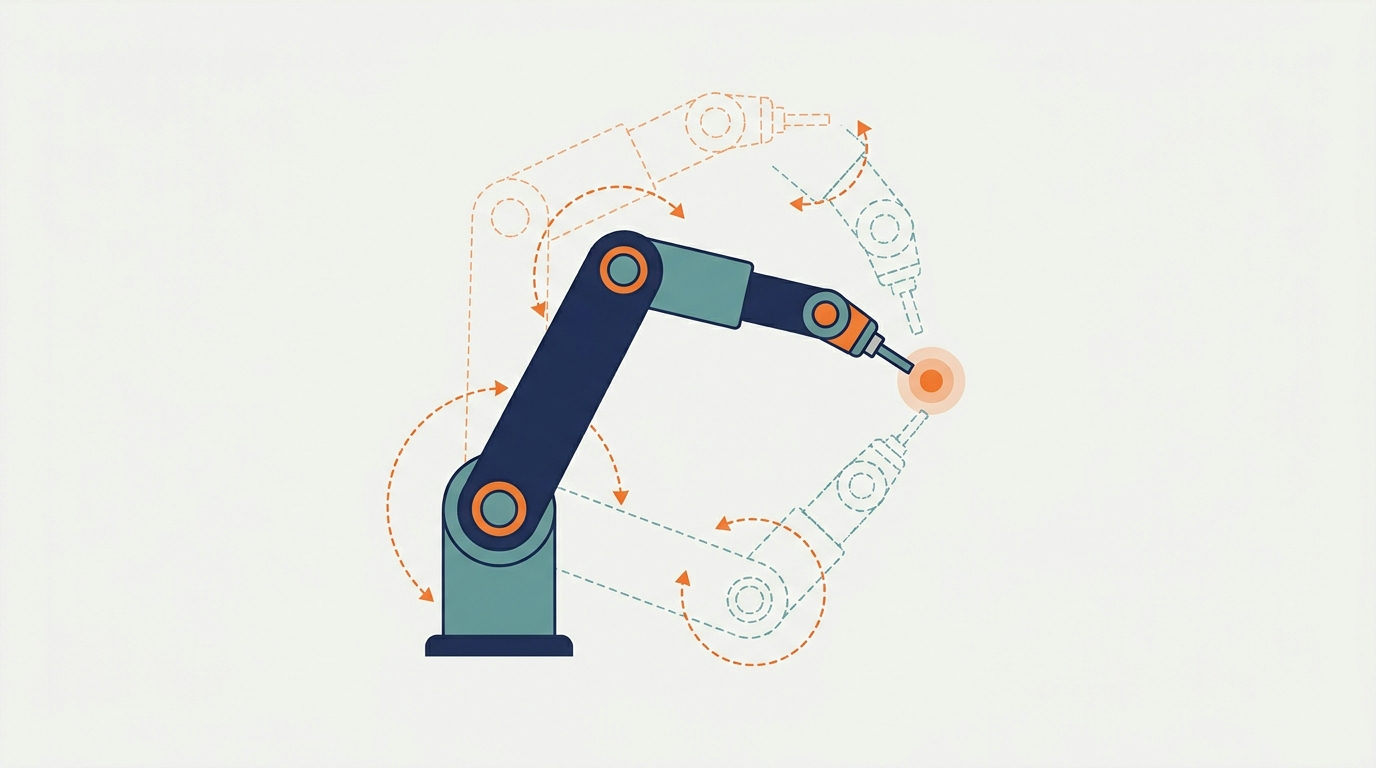
Inverse kinematics is the maths that lets a robot arm work out how to move its joints so its gripper ends up exactly where you want it. You give the target position, and inverse kinematics returns the joint angles. It is the reverse of forward kinematics, which starts from known joint angles and calculates where the gripper will be. This guide explains both ideas in plain language, walks through a two-joint example you can check by hand, and covers the practical problems that make inverse kinematics harder than it first looks.
Forward kinematics vs inverse kinematics
MathWorks’ explainer on inverse kinematics sets out the distinction clearly. Forward kinematics computes the pose of the end-effector (the gripper, tool or camera at the end of the arm) from known joint parameters. Inverse kinematics uses the kinematic equations to work out the joint motion needed to reach a desired position.
A useful way to remember the difference:
- Forward: “If I set the shoulder to 30 degrees and the elbow to 45 degrees, where does the hand go?” There is always exactly one answer.
- Inverse: “I want the hand here. What should the shoulder and elbow be?” There may be one answer, several answers, or none at all.
Most robot tasks are naturally described in the inverse direction. A pick-and-place job says “move to this bin”, not “set joint three to 62 degrees”. That is why inverse kinematics sits at the centre of practical robot programming.
Key terms you will meet
- Joint: a connection that moves, usually by rotating (revolute) or sliding (prismatic).
- Link: the rigid part between two joints.
- End-effector: whatever does the work at the end of the arm.
- Pose: position plus orientation of the end-effector.
- Degrees of freedom (DoF): the number of independent joint movements. Positioning and orienting a tool freely in 3D space generally needs six.
- Configuration: one complete set of joint values. MathWorks describes a valid robot configuration as a list of joint positions within the robot’s position limits that does not violate any constraints.
Inverse kinematics on a two-joint arm, worked by hand
The clearest way to understand inverse kinematics is a flat arm with two links, like a shoulder and an elbow moving in one plane. Call the link lengths L1 and L2, and the joint angles θ1 (shoulder) and θ2 (elbow, measured relative to the first link).
Forward kinematics first
The hand position is:
- x = L1·cos(θ1) + L2·cos(θ1 + θ2)
- y = L1·sin(θ1) + L2·sin(θ1 + θ2)
Plug in any two angles and you get one point. That is forward kinematics.
Now solve it backwards
To reach a target (x, y), first find the elbow angle using the law of cosines:
- cos(θ2) = (x² + y² − L1² − L2²) ÷ (2·L1·L2)
Then find the shoulder angle:
- θ1 = atan2(y, x) − atan2(L2·sin(θ2), L1 + L2·cos(θ2))
Try it with both links 1 unit long and a target at (1, 1). The first formula gives cos(θ2) = (2 − 2) ÷ 2 = 0, so θ2 is either +90° or −90°. With θ2 = +90°, the shoulder angle works out to 0°. With θ2 = −90°, it works out to 90°. Put either pair back into the forward equations and you land on (1, 1).
That small example shows three things that matter on real robots:
- Multiple solutions. The arm can reach the point “elbow up” or “elbow down”. Your software has to choose.
- Unreachable targets. If the formula for cos(θ2) gives a value above 1 or below −1, the point is outside the arm’s reach and there is no solution.
- Forward kinematics as a check. Running the answer back through the forward equations is the simplest way to verify an inverse solution.
Analytical vs numerical solvers
MathWorks describes two families of inverse kinematics solvers:
- Analytical (closed-form) solvers derive the joint angles directly with formulas, as in the two-joint example. They are fast and predictable, and they suit robots with few degrees of freedom or a geometry that allows a neat solution. They do not scale well to complex or redundant arms.
- Numerical solvers start from a guess and iterate, adjusting the joints step by step to reduce the distance to the target. They handle complex robots and extra constraints, such as joint limits or keeping a camera pointed at an object, but they can be slower and may settle on a different solution depending on the starting guess.
Numerical methods usually rely on the Jacobian, a matrix that relates small changes in joint angles to small movements of the end-effector. MathWorks notes its role in producing smooth motion from a start pose to a target pose.
Practical problems to plan for
Joint limits
Real joints cannot rotate freely. A mathematically valid answer may need an angle the motor cannot reach. Solvers must respect each joint’s limits, and when several solutions exist, the one furthest from a limit is often the safest choice.
Singularities
At certain configurations, such as a fully stretched arm, the robot loses the ability to move its end-effector in some direction. Near these points, numerical solvers can demand very large joint speeds for tiny movements. Path planners usually steer around them.
Redundancy
An arm with more joints than the task needs, like a seven-joint arm doing a six-DoF task, has infinitely many solutions for most targets. That flexibility is useful for avoiding obstacles, but the software needs a rule for choosing among them.
Choosing between solutions over time
If a solver jumps between elbow-up and elbow-down solutions from one moment to the next, the arm will swing wildly. A common approach is to seed each new solve with the previous joint angles so the robot stays in the same family of solutions.
How inverse kinematics fits into a robot program
In a typical pick-and-place application, inverse kinematics is one step in a short chain of decisions:
- Describe the goal in the workspace. A vision system or a fixed layout supplies the position and orientation the gripper must reach, such as a point just above a part on a conveyor.
- Solve for joint angles. The inverse kinematics solver returns one or more valid configurations, filtered by joint limits.
- Pick a configuration. Choose the one closest to the robot’s current pose, or the one that keeps clear of obstacles and singularities.
- Plan the motion. A trajectory planner works out how to move from the current joints to the new ones smoothly, checking for collisions along the way.
- Verify and execute. Run the planned joints through forward kinematics, or a simulator, to confirm the gripper ends up where intended, then send the commands to the motors.
Testing each step in simulation before running it on hardware is standard practice, because a wrong solution on a real arm can damage equipment.
Where to learn more
For a rigorous treatment, Modern Robotics: Mechanics, Planning, and Control by Kevin Lynch and Frank Park (Cambridge University Press) has full chapters on forward kinematics, velocity kinematics and inverse kinematics, and the authors offer a free preprint on the book’s site. Most robotics toolkits also include ready-made solvers, so in practice you will usually configure one rather than write your own. Understanding the two-joint case still makes it far easier to debug a solver that returns a strange pose.
For more on how robots are deployed and how teams learn to run them, see our robotics hub. The machine learning hub covers learning-based approaches that are increasingly combined with classical kinematics.
Key takeaways
Inverse kinematics turns a target position into joint angles, while forward kinematics turns joint angles into a position. Even a two-joint arm shows the core challenges: more than one valid solution, targets that cannot be reached, and the need to check answers by running them forward again. Analytical solvers are fast for simple arms, numerical solvers handle complex robots and constraints, and any real system has to respect joint limits, avoid singularities and choose solutions consistently from one movement to the next.
Written by the TechZone AI Editorial desk.




Leave feedback about this