
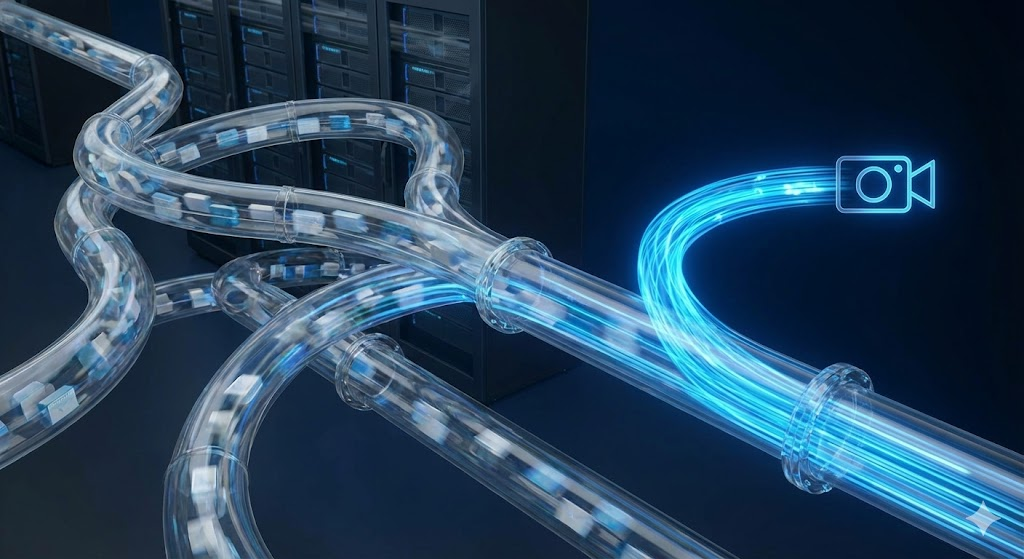
Computer vision data pipelines become critical the moment visual intelligence is introduced into legacy systems. While cameras and models often get the spotlight, pipelines quietly determine whether the solution works at scale or collapses under complexity.
Legacy systems were not designed for image streams, real-time inference, or AI-driven insights. They operate on structured data, fixed schedules, and predictable workflows. Computer vision introduces unstructured data, continuous processing, and probabilistic outputs. Bridging that gap requires careful pipeline design.
This article explores how to manage computer vision data pipelines when adding vision capabilities to legacy systems, focusing on stability, scalability, and long-term reliability rather than quick experimentation.
Why Computer Vision Data Pipelines Are the Real Challenge
Models can be trained in weeks. Pipelines last for years.
Computer vision data pipelines matter because they handle everything models depend on. Images must be captured, stored, processed, analyzed, and delivered as usable outputs. Any weakness in this chain degrades performance.
When legacy systems are involved, the challenge increases. Compatibility constraints, limited interfaces, and operational risk force pipelines to work around existing structures rather than replace them.
Strong pipelines allow organizations to modernize safely instead of destabilizing what already works.
Understanding Legacy System Constraints
Legacy systems impose rules that pipelines must respect.
These systems often rely on batch processing, fixed schemas, and limited connectivity. Real-time data streaming may be impossible. Direct API access may not exist.
Computer vision data pipelines must be designed with awareness of:
- Limited integration points
- Strict uptime requirements
- Outdated data formats
- Security and isolation boundaries
Ignoring these constraints leads to fragile integrations.
Capturing Visual Data in Legacy Environments
Data pipelines begin at capture.
In legacy environments, visual data is often collected through external cameras rather than embedded sensors. Placement, lighting, and timing directly affect downstream accuracy.
Effective capture strategies consider:
- Stable camera positioning
- Consistent lighting conditions
- Synchronization with existing processes
- Minimal interference with operations
Computer vision data pipelines rely on predictable inputs to remain reliable.
Managing Data Volume and Velocity
Images generate far more data than traditional systems expect.
A single camera can produce thousands of frames per hour. Legacy systems are rarely equipped to handle that volume.
Pipeline design must address:
- Frame sampling and filtering
- Compression strategies
- Storage tiering
- Retention policies
Computer vision data pipelines reduce load by processing intelligently rather than storing everything.
Preprocessing for Legacy Compatibility
Raw images are rarely usable as-is.
Preprocessing prepares visual data for analysis and downstream systems. This step is essential when integrating with legacy platforms that expect structured inputs.
Preprocessing tasks often include:
- Image normalization
- Region-of-interest extraction
- Noise reduction
- Metadata tagging
These steps transform unstructured data into manageable signals.
Inference Placement and Pipeline Design
Where inference happens shapes the pipeline.
Inference may occur at the edge, centrally, or in the cloud. Each choice affects latency, cost, and integration complexity.
Computer vision data pipelines must balance:
- Latency requirements
- Network constraints
- Security policies
- Infrastructure maturity
Legacy systems often favor edge or isolated processing to reduce risk.
Transforming Vision Outputs into Legacy-Friendly Data
Legacy systems rarely consume probabilities or bounding boxes.
They expect structured values, events, or flags. Computer vision data pipelines must translate vision outputs into formats legacy systems can understand.
Common transformations include:
- Binary pass or fail signals
- Numeric counters
- Status codes
- Time-stamped events
Translation layers protect legacy systems from AI complexity.
Data Synchronization with Existing Workflows
Timing matters.
Legacy workflows may run on schedules rather than streams. Vision pipelines must align with these rhythms.
Synchronization challenges include:
- Matching visual events to batch cycles
- Handling delayed processing
- Preventing duplicate signals
- Ensuring idempotency
Computer vision data pipelines succeed when they respect operational timing.
Error Handling and Resilience in Vision Pipelines
Failures are inevitable.
Cameras fail. Models misclassify. Networks drop packets. Pipelines must absorb these issues without cascading failures.
Resilient pipeline design includes:
- Fallback logic
- Graceful degradation
- Clear error states
- Automated recovery mechanisms
Legacy systems depend on stability. Pipelines must protect it.
Monitoring Computer Vision Data Pipelines
Silent failure is the biggest risk.
Without observability, pipelines degrade unnoticed. Data drift, camera misalignment, and processing bottlenecks accumulate.
Effective monitoring covers:
- Data quality metrics
- Processing latency
- Throughput trends
- Model performance indicators
Computer vision data pipelines must be observable to remain trustworthy.
Versioning and Change Management
Vision pipelines evolve.
Models update. Preprocessing changes. Hardware shifts. Without versioning, debugging becomes impossible.
Pipeline versioning should track:
- Model versions
- Preprocessing logic
- Data schemas
- Configuration changes
Legacy environments benefit from strict change control.
Security and Access Control Considerations
Visual data is sensitive.
Pipelines must protect images, metadata, and outputs. Legacy systems often have strict security requirements that pipelines must align with.
Security practices include:
- Isolated processing environments
- Controlled data access
- Encrypted storage and transmission
- Audit logging
Computer vision data pipelines must enhance insight without expanding risk.
Scaling Pipelines Without Breaking Legacy Systems
Success invites scale.
Adding more cameras or use cases increases load. Pipelines must scale independently of legacy systems.
Scalable design principles include:
- Decoupled processing stages
- Message-based communication
- Modular components
- Incremental expansion
Legacy systems remain stable while vision capabilities grow.
Balancing Real-Time and Batch Processing
Not all insights require immediacy.
Some vision outputs demand real-time response. Others can be processed later.
Computer vision data pipelines should support both by:
- Routing critical signals immediately
- Aggregating non-urgent data
- Aligning outputs with system needs
This balance reduces unnecessary strain.
Data Quality as a Continuous Responsibility
Vision accuracy depends on data quality.
Environmental changes, equipment wear, and process drift affect images over time. Pipelines must adapt.
Quality management includes:
- Continuous validation
- Periodic recalibration
- Drift detection
- Human review loops
Computer vision data pipelines are living systems, not static assets.
Human-in-the-Loop Pipeline Design
Automation benefits from oversight.
Human review remains essential, especially in legacy environments where trust is earned slowly.
Human-in-the-loop designs support:
- Review of edge cases
- Model retraining feedback
- Controlled escalation
- Gradual confidence building
Pipelines that include people adapt better over time.
Common Pipeline Pitfalls in Legacy Integrations
Many failures repeat.
Common mistakes include:
- Overloading legacy systems with raw data
- Ignoring timing mismatches
- Underestimating maintenance effort
- Treating pipelines as one-time projects
Awareness prevents repetition.
Measuring Pipeline Effectiveness
Pipelines should deliver measurable value.
Useful indicators include:
- Reduction in manual effort
- Faster detection of issues
- Improved process consistency
- Lower operational disruption
Metrics keep pipelines aligned with goals.
Strategic Value of Well-Designed Vision Pipelines
Pipelines enable more than integration.
They create a foundation for future intelligence. Once established, new vision use cases become easier to deploy.
Strategic benefits include:
- Faster modernization
- Reduced integration risk
- Improved operational insight
- Extended legacy system lifespan
Pipelines turn experimentation into capability.
Conclusion
Managing computer vision data pipelines when integrating with legacy systems requires discipline, patience, and respect for existing constraints. Pipelines must absorb complexity so legacy systems do not have to.
By focusing on capture quality, data transformation, synchronization, resilience, and governance, organizations can add visual intelligence safely and sustainably. Computer vision succeeds not because of models alone, but because data pipelines quietly hold everything together.
FAQ
1. What are computer vision data pipelines?
They are the systems that capture, process, transform, and deliver visual data for analysis and integration.
2. Why are data pipelines critical for legacy systems?
Because legacy platforms cannot natively handle image data or AI outputs.
3. Should all vision data be stored long-term?
No. Intelligent filtering and retention policies reduce cost and complexity.
4. Where should inference happen in legacy environments?
Often at the edge or in isolated environments to reduce risk and latency.
5. What is the biggest risk when managing vision pipelines?
Silent degradation caused by poor monitoring and change control.